Your markets, side by side
Open charts for different instruments and timeframes, then arrange them into a layout that keeps the context you need in view.
Keep your markets, timeframes, indicators, and execution tools together. Build a chart layout around the way you read the market.
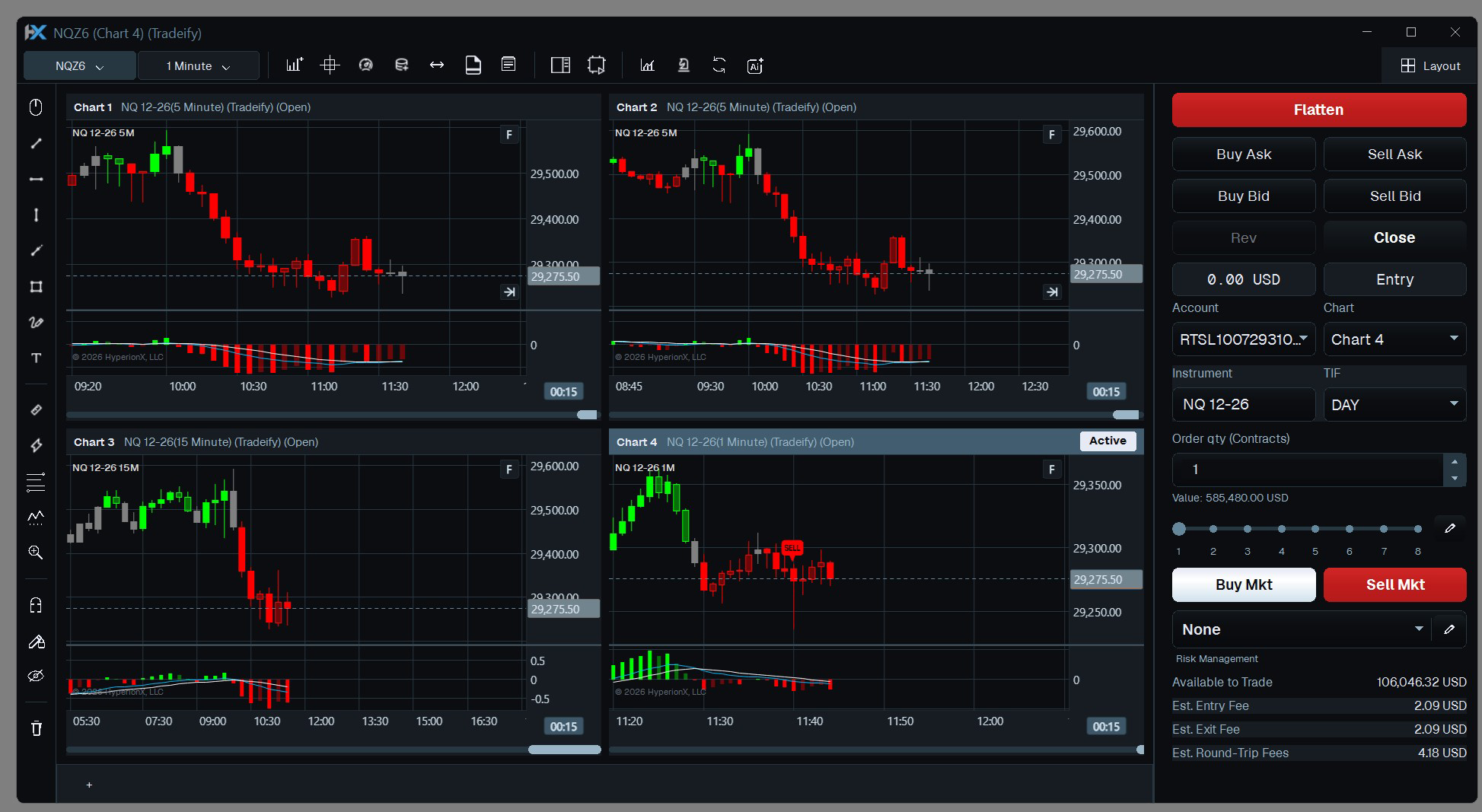
Save layouts as workspaces and restore them for your next session.
Open charts for different instruments and timeframes, then arrange them into a layout that keeps the context you need in view.
Choose bar types, apply indicators, add drawings, and inspect price and indicator values with the chart tools.
Bring charts and supporting windows into a workspace you can save, restore, and refine as your workflow develops.
Connect a supported provider and select the instrument and historical range for your chart.
Set your timeframe, indicators, and drawings. Add other charts to compare setups and context.
Arrange the windows and save the workspace so your next session starts with a familiar view.
Yes. Open separate charts with the instruments and timeframes you want to compare, and arrange them in the same desktop workspace.
Yes. Code Lab lets you create C# indicators with HyperionX APIs, compile them, and load them into a chart.
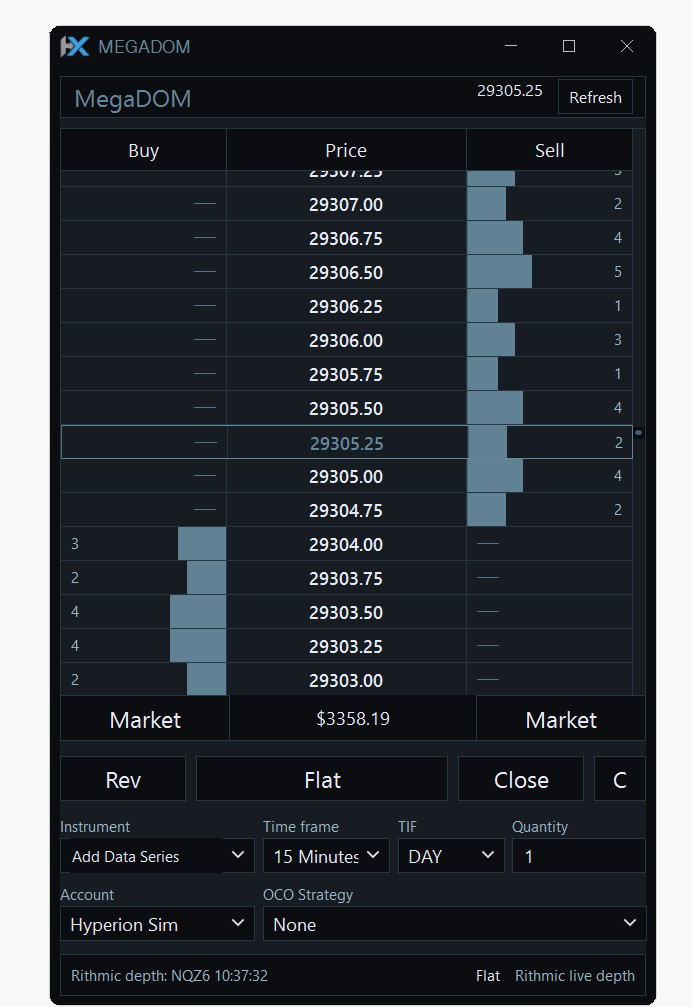
Bring bid and ask depth, price levels, and order controls into one focused ladder. Keep execution close to the market you are watching.
Explore MegaDOM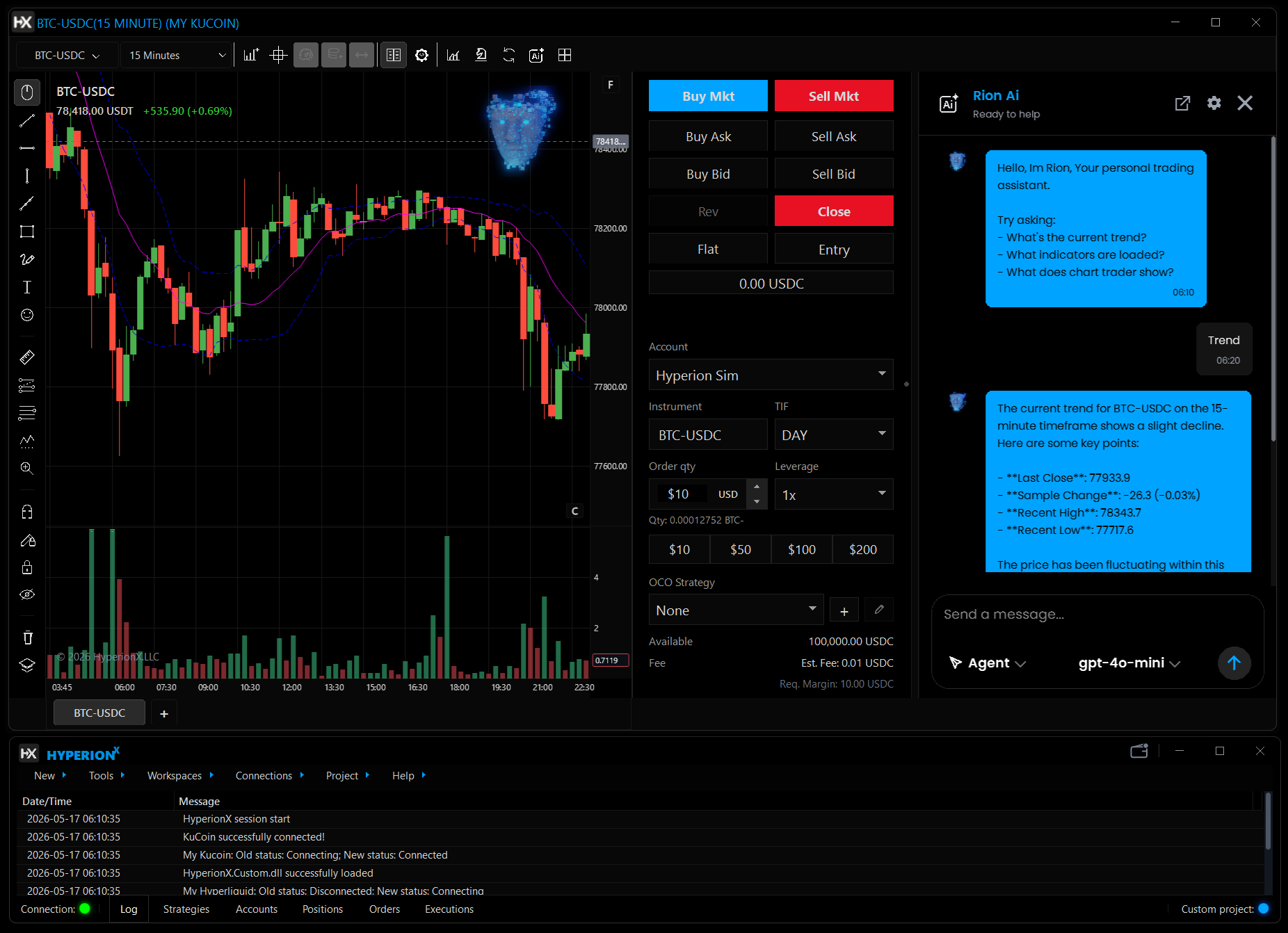
Talk through market context, indicators, and script ideas with Rion inside HyperionX. Keep the conversation beside the chart you are working on.
Explore Rion AI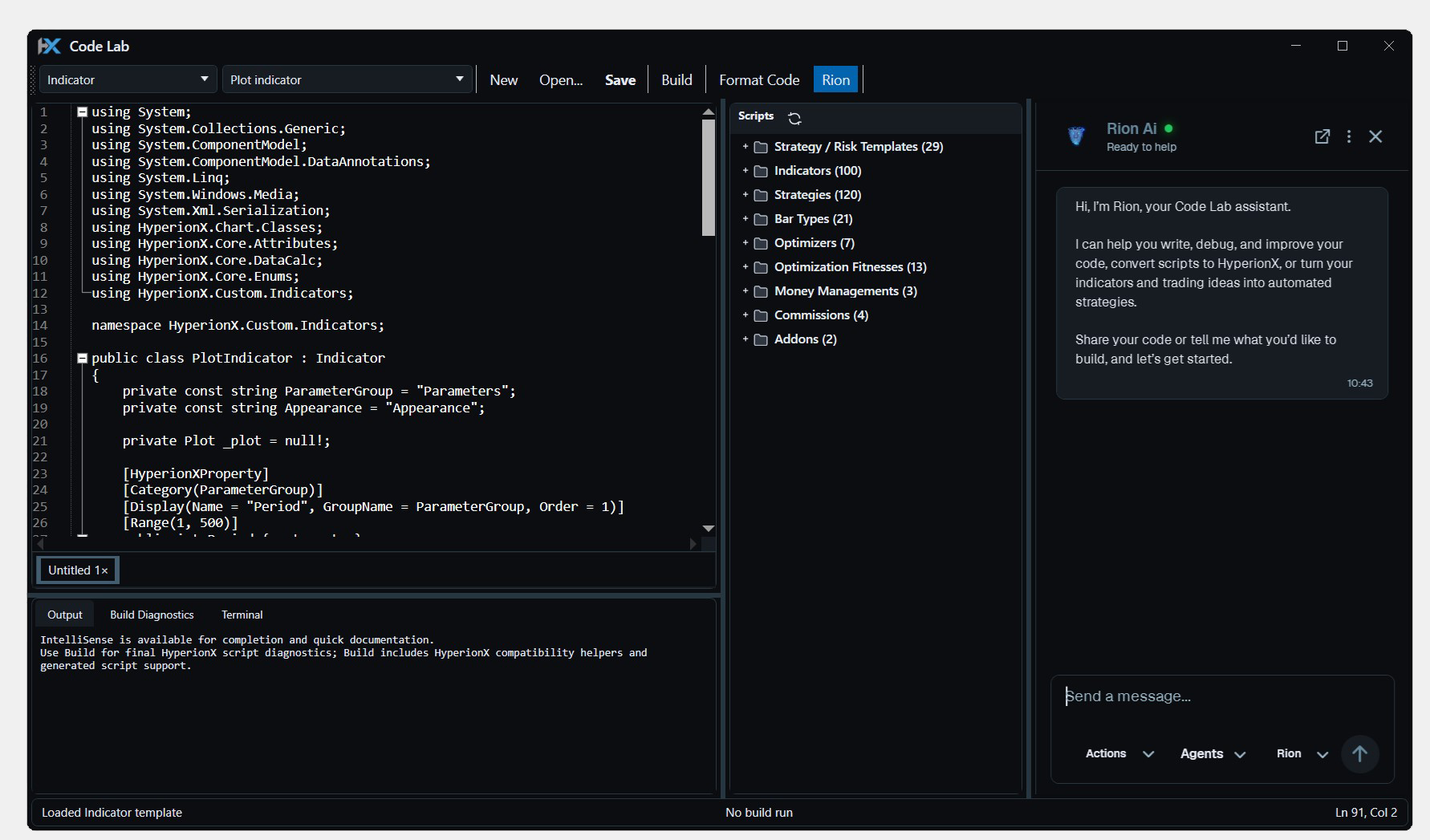
Write, compile, and test C# indicators and strategies inside HyperionX. Build custom tools where you already chart, research, and trade.
Explore Code LabCharts, code, research, and execution. Find your flow in one Windows desktop platform.

We use essential browser storage and, with your permission, optional analytics and CRM live chat. Visit our Cookie Policy for more info.