Ask about your chart
Use the active chart's instrument, timeframe, candles, and indicator context as the starting point for a conversation.
Talk through market context, indicators, and script ideas with Rion inside HyperionX. Keep the conversation beside the chart you are working on.
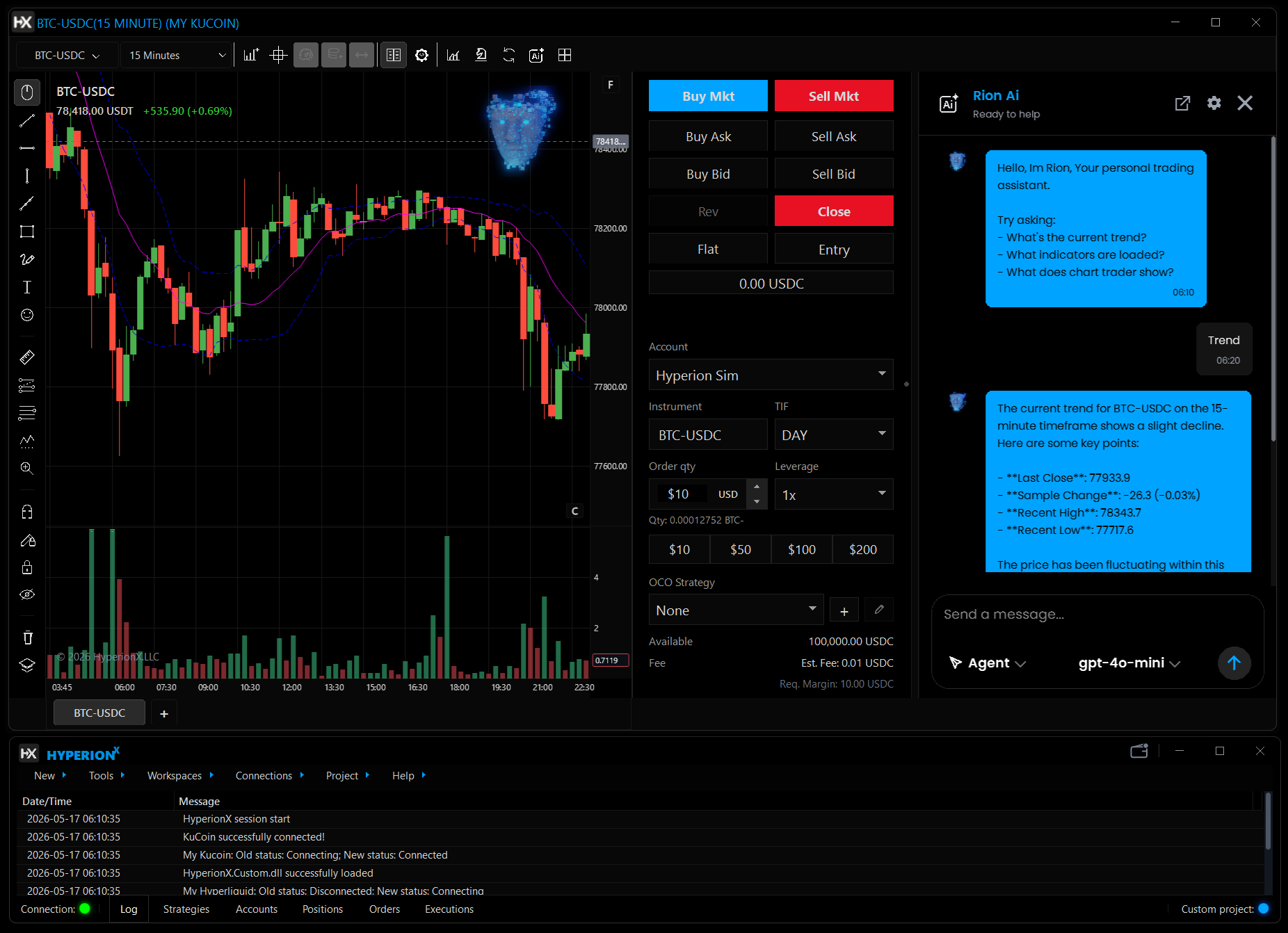
Chart chat is available in supported builds. Tools and actions depend on the selected provider, release, permissions, and plan.
Use the active chart's instrument, timeframe, candles, and indicator context as the starting point for a conversation.
Ask for help understanding C#, reviewing an indicator idea, or explaining compiler feedback while you develop in Code Lab.
Use HyperionX Cloud or a supported customer-configured provider. The chosen provider and model determine the available capabilities.
Choose the instrument and timeframe you want to review, with the relevant indicators loaded.
Open the AI panel and confirm the provider, model, and context selected for the request.
Compare the answer with the chart and verify any proposed code or tool result before acting on it.
Chart assistance and trading actions are separate capabilities. The default Cloud conversation does not expose order-placement tools. Other action workflows have their own release, provider, and permission requirements.
Ollama is a supported provider option. Its capabilities depend on the chosen model and configuration; it runs locally only when its endpoint is on your own computer.
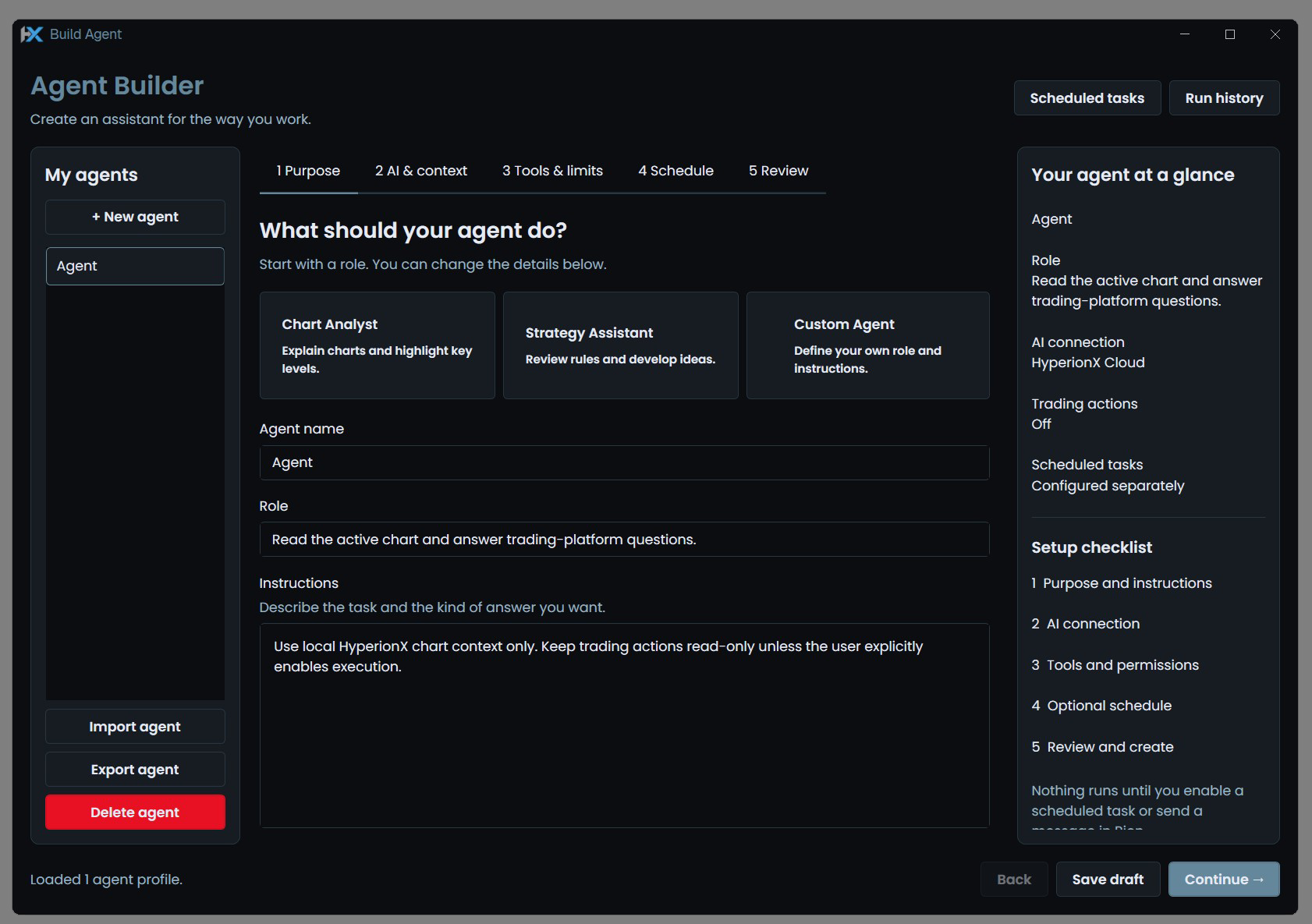
Create specialized Rion profiles around chart analysis, code assistance, or research review. Choose instructions, context, and available tools for the task.
Explore Agent Builder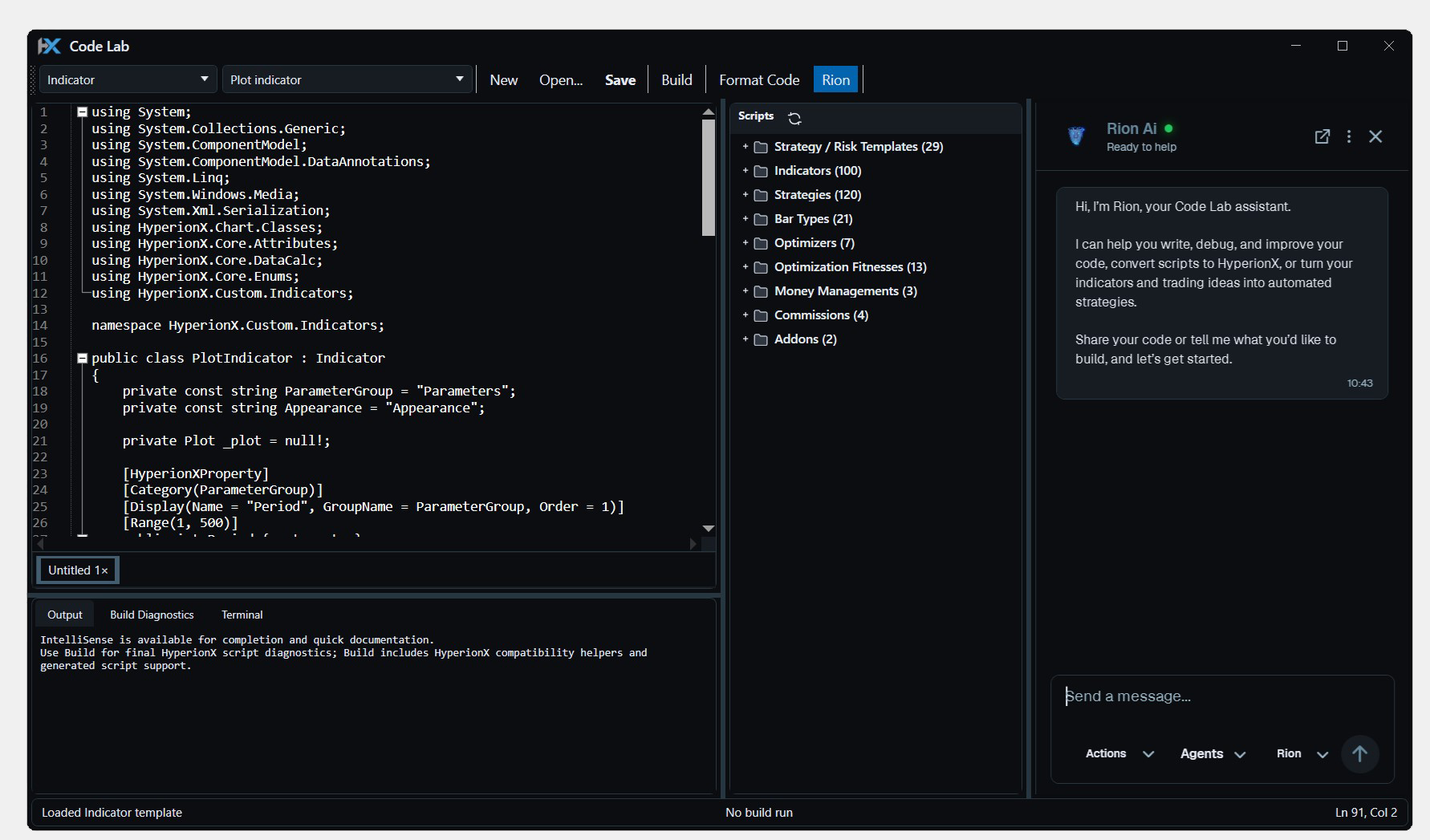
Write, compile, and test C# indicators and strategies inside HyperionX. Build custom tools where you already chart, research, and trade.
Explore Code Lab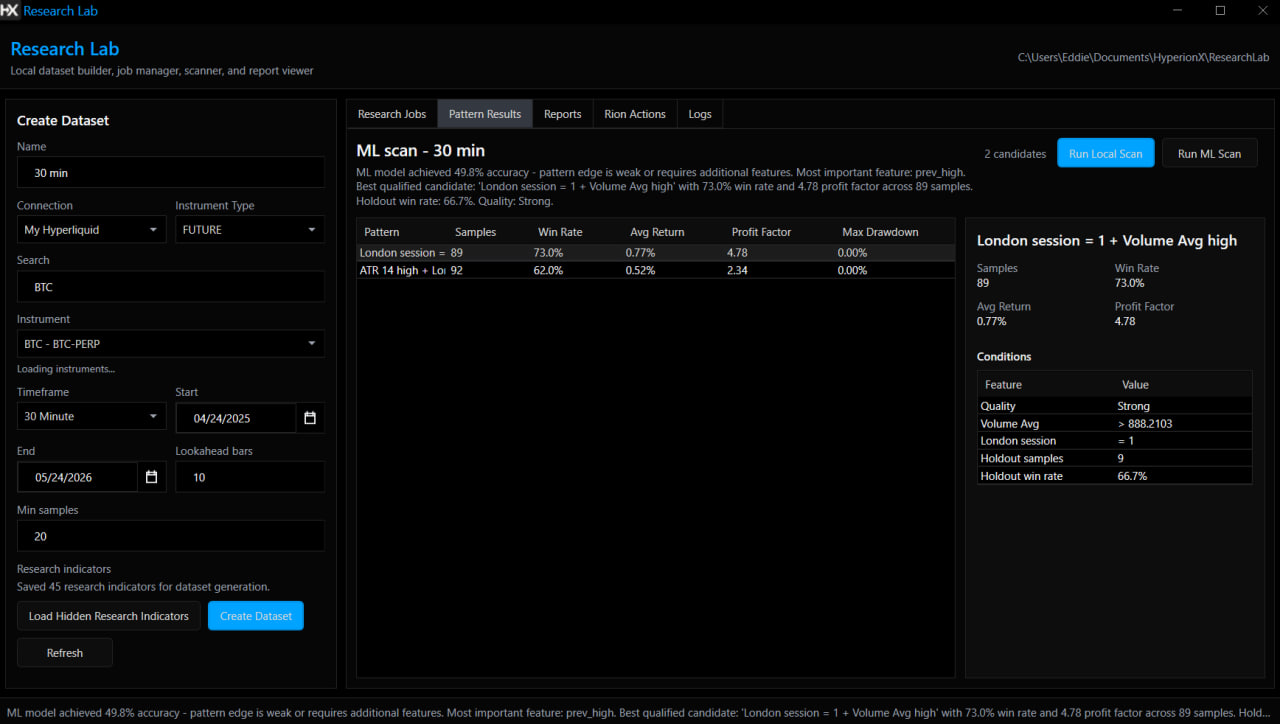
Build feature datasets, run supported research jobs, and compare reports inside the trading desktop. Keep your experiments close to the strategies they inform.
Explore Research LabCharts, code, research, and execution. Find your flow in one Windows desktop platform.

We use essential browser storage and, with your permission, optional analytics and CRM live chat. Visit our Cookie Policy for more info.